Assign Role
1. Go to User Page
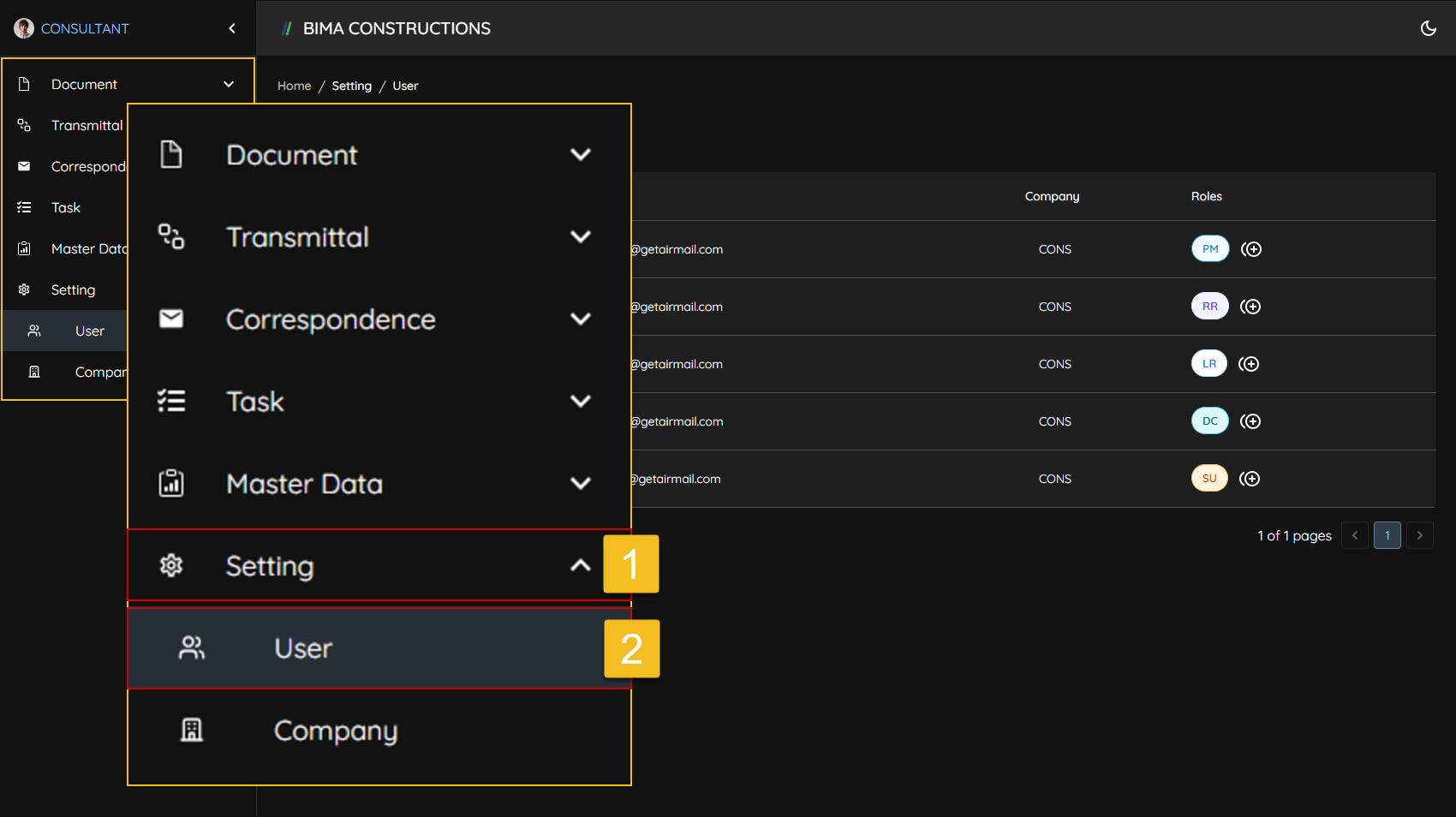
- Super User can click on the
Settingsmenu to open the dropdown list of menu insideSettings. - Super User then click on the
Usermenu to go to theUserpage.
2. Select & Give the Role
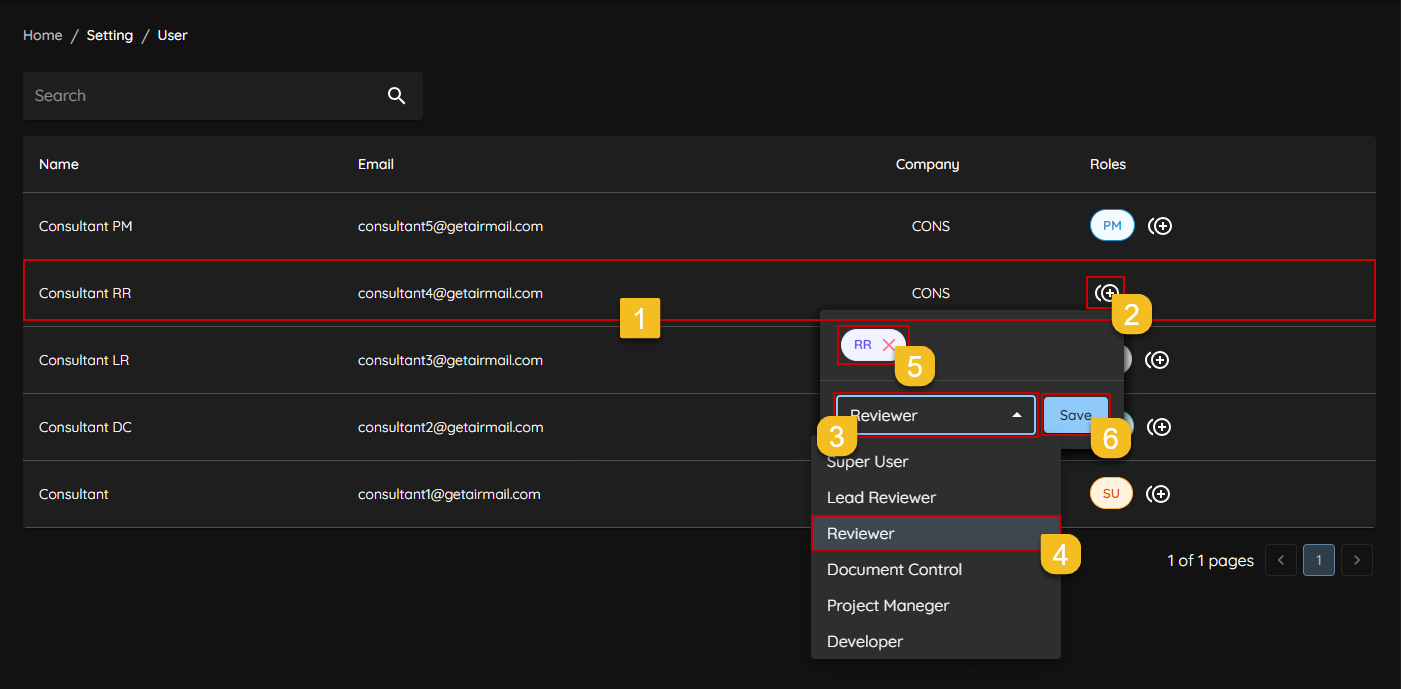
- Super User Select the username to be given the role.
- Super User Click on the
+symbol to bring up theRolepanel. - Super User Click on the dropdown menu to select a role from the available options.
- Super User Select the Role to be given, in this case the role given is
Revieweror usually written asRR. - Super User Make sure the Role given is correct.
- If all the process above had done successfully by Super User, then Click
Saveto save all the progress and the roles given.
3. Giving Role Finished
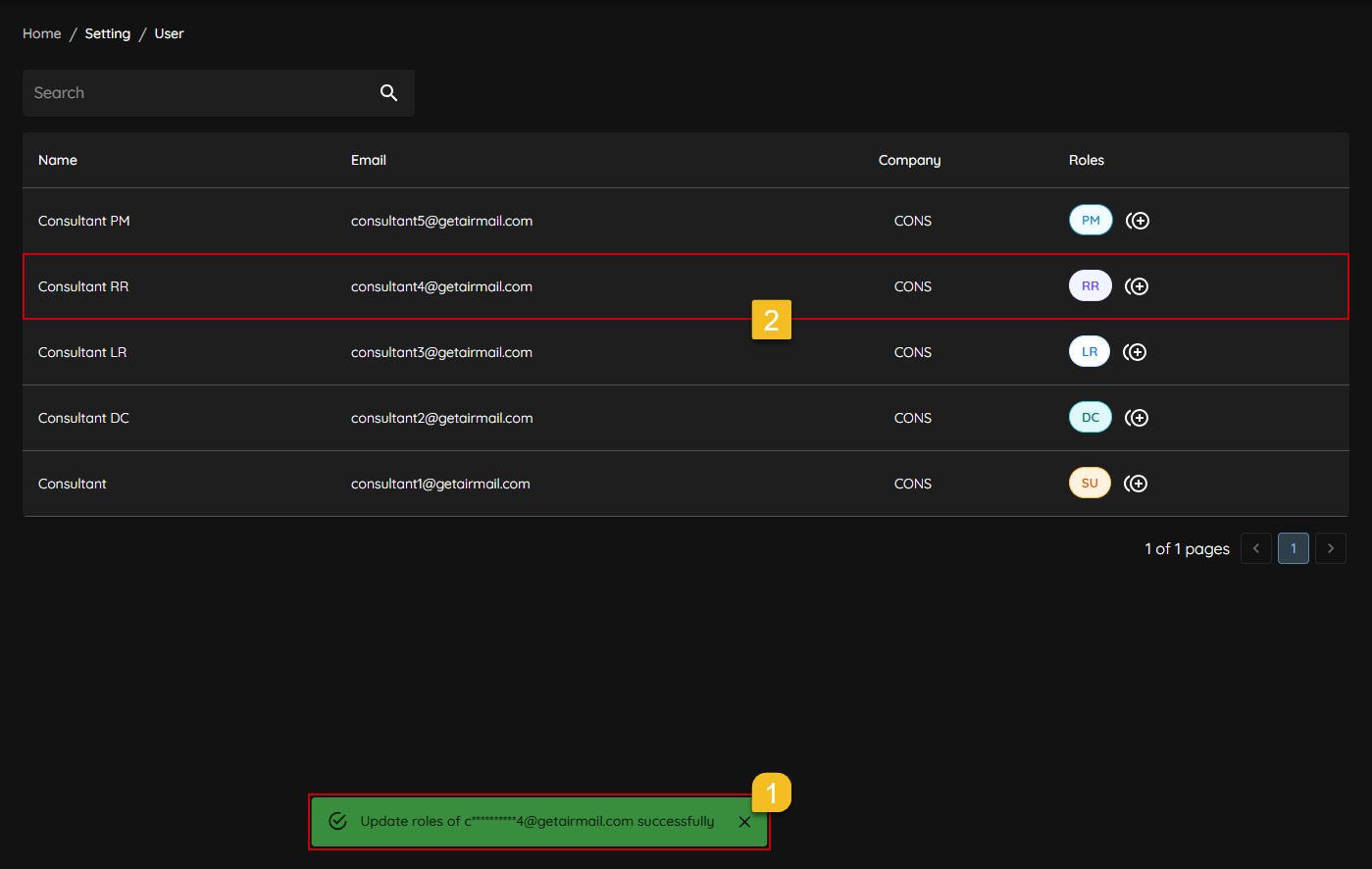
- A notification will appear saying
Update roles of [EMAIL] successfully. - To make sure even more, Super User can check on the
Rolescolumn of which USER to see if theRolesare apeared and updated to the USER ot not.