Registration
The Registration process is required for USERS to access the BIMA Construction and BIMA Projects applications.
Registration Process
1. Open Registration Page/Form
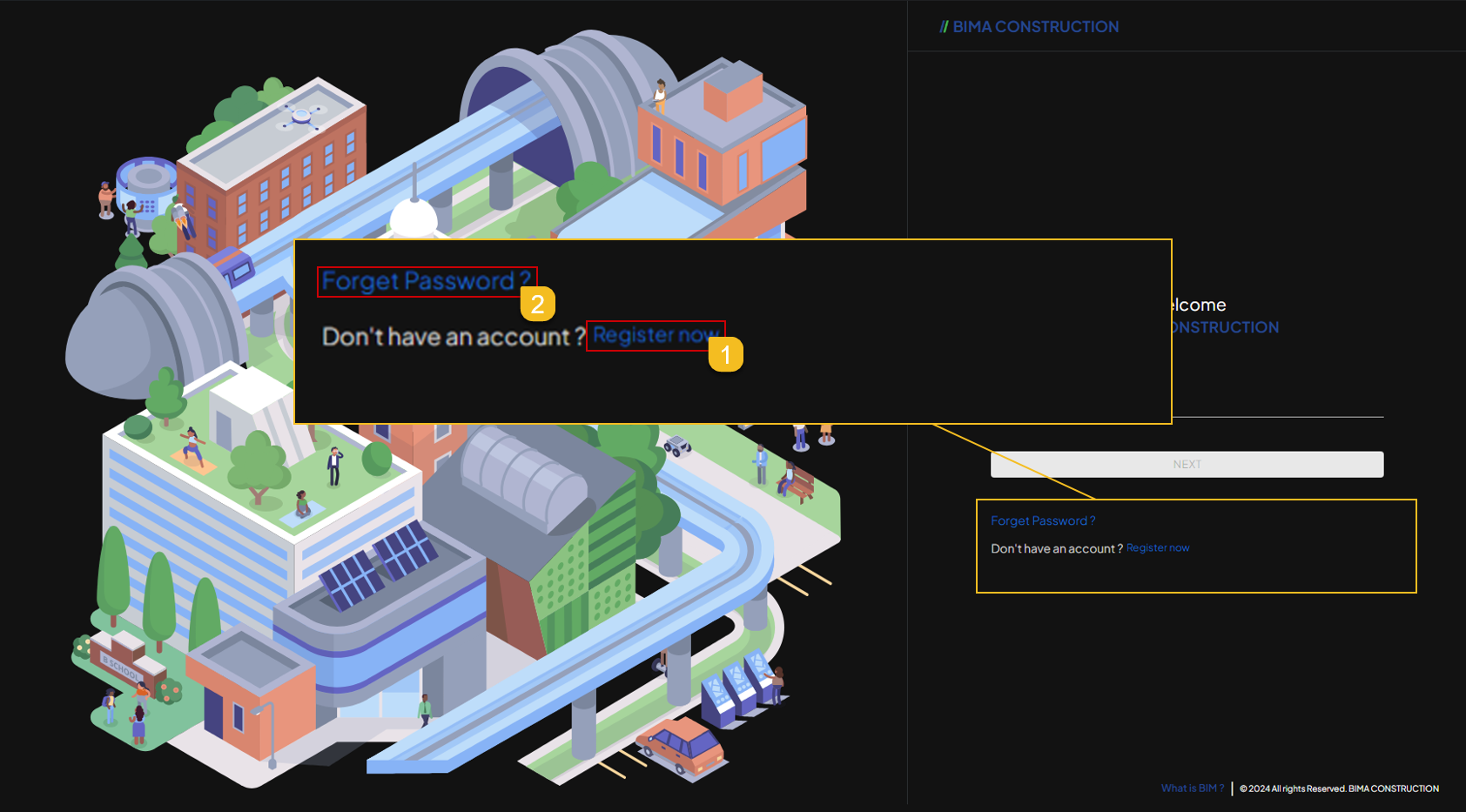 On the Landing/Login page, All USER will come through a sign-in form, like from the picture above.
- If the USER want/dont have an account, USER can make it by clicking the
Register nowhyperlink. - If the USER already have an account but forgot their password, USER can click on the
Forgot Passwordhyperlink and follow this process Forgot Password.
2. Fill In the Registration Form
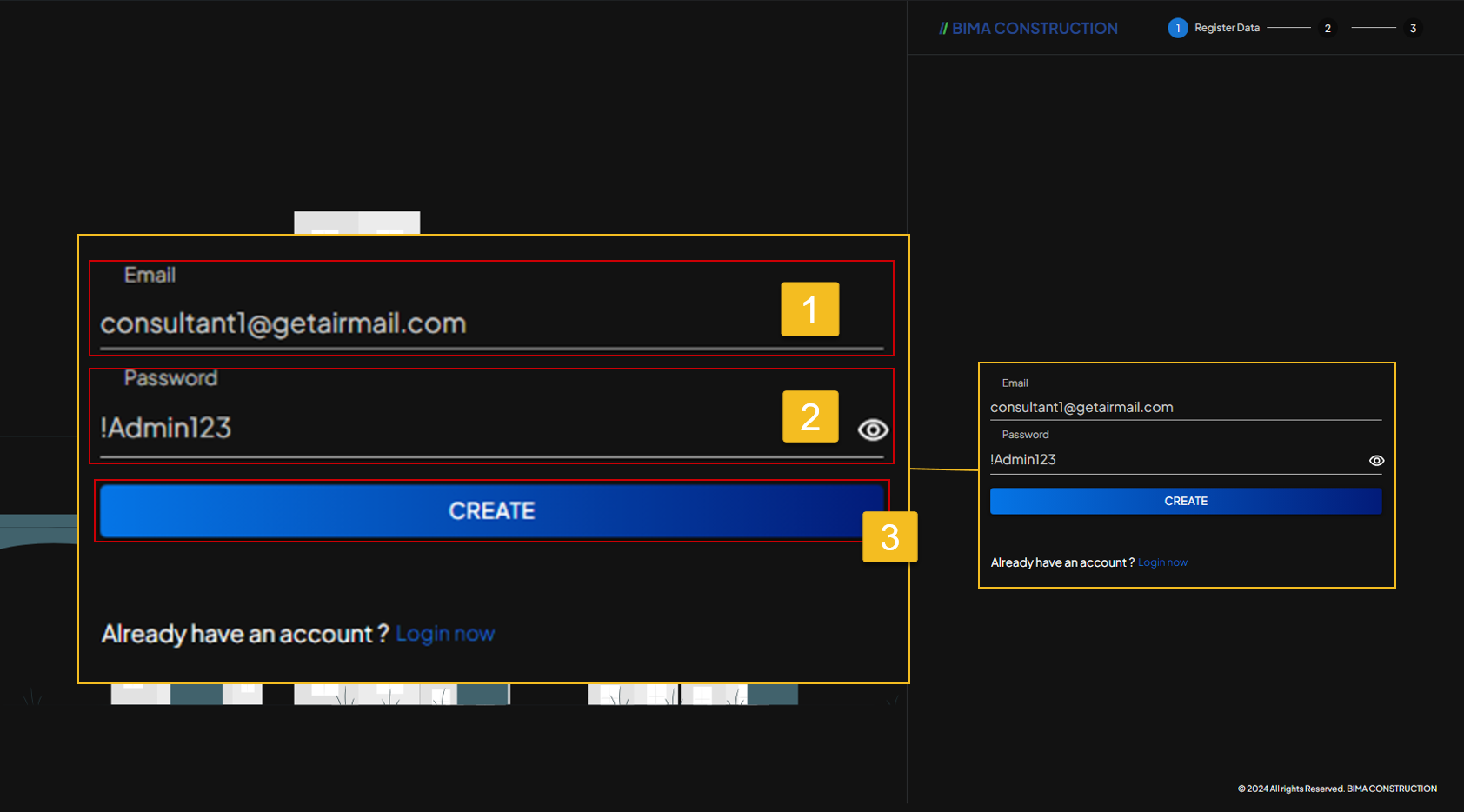
- USER can fill in the email (Make sure the email used are the company email which USER are from).
- Fill in the password with this requirement:
- Consist of atleast 8 with the maximum of 64 characters.
- Contain minimum of atleast 1 symbol (!,@,#,$,%).
- Contain minimun of atleast 1 number (1,2,3,4,5,6,7,8,9,0).
- Contain minimum of atleast 1 capitalized letter.
- If the USER already sure about the email & password, then the USER can click on the
CREATEbutton.
3. Verify Your Account
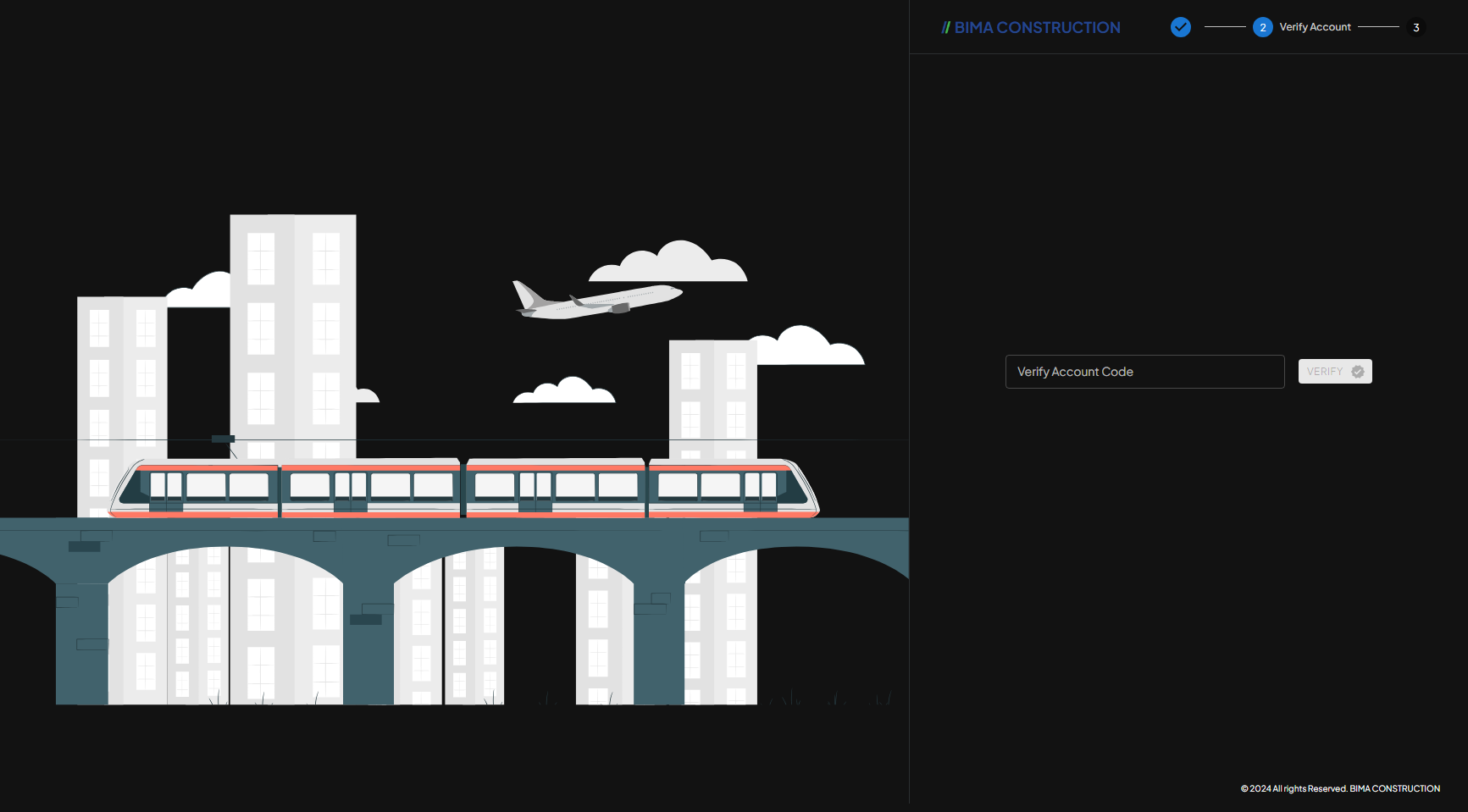 After successfully registering the email, the USER will be directed to the next registration step. In this section the USER will receive email containing the
 Verify Account code.
4. Check Your Email Inbox
 The USER check their email inbox to find about the Verification Code that has been sent by the system, once the USER got their verification code; then put the code on the
 Verify Accound Code field back at the registration form.
5. Fill In the Biodata
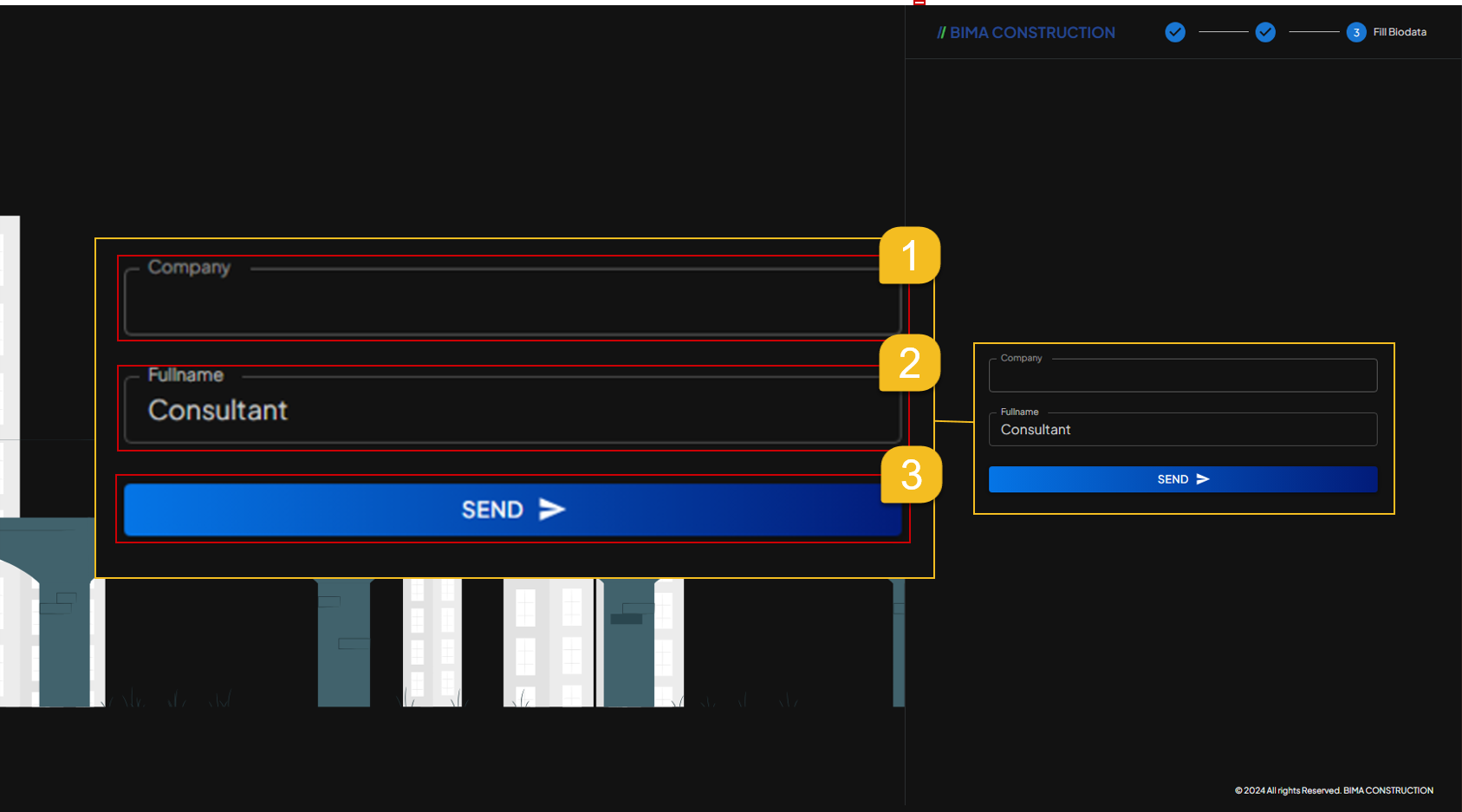 After carrying out the verification process on the registered account, the USER will then be directed to the final registration process, namely filling in the
 Biodata form.
- The USER fill in
Companyinput field with the company name which the USER are from. - The USER then fill in
Fullnanmeso that people on the other end (BIMA Projects) knows who you are. - After making sure of all the data inputed, the USER then can click on
SENDbutton to save the company and name that has been filled in.
6. Registration Completed
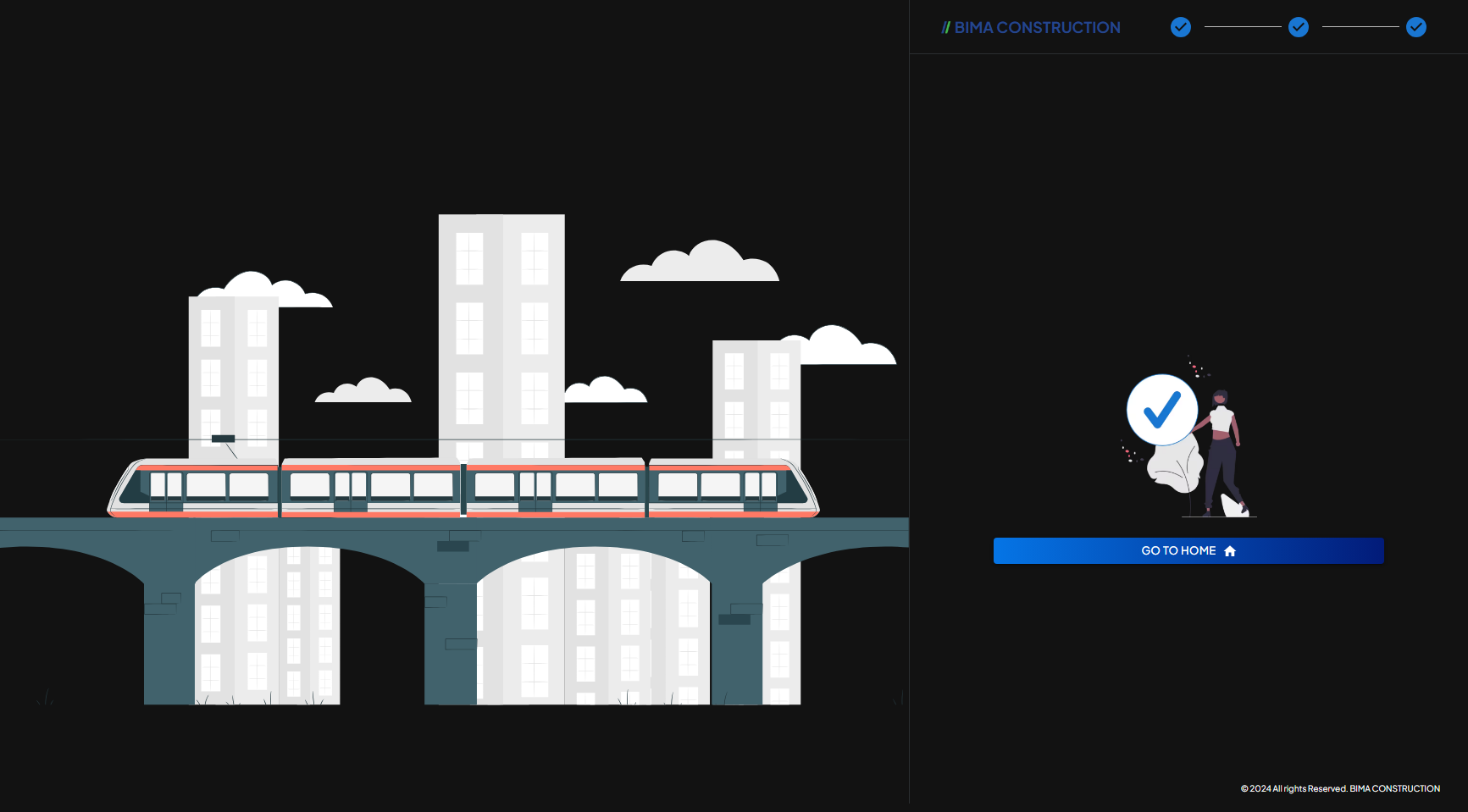 The Registration process is complete, the USER can end the Registration Process by pressing the
 GO TO HOME to be directed to the Homepage of the BIMA Construction Apps.
- While at the Homepage/Dashboard of the BIMA Construction site, USER will on shown the empty page of the Homepage/Dashboard page. It is because the account that freshly created will be a
Role-less&Department-lessaccount. The USER then can ask the Admin to give USER their role & department based on what Role & Department that are proper and are required at that time.