Assign Task to Project Manager
1. Assign Task to Project Manager
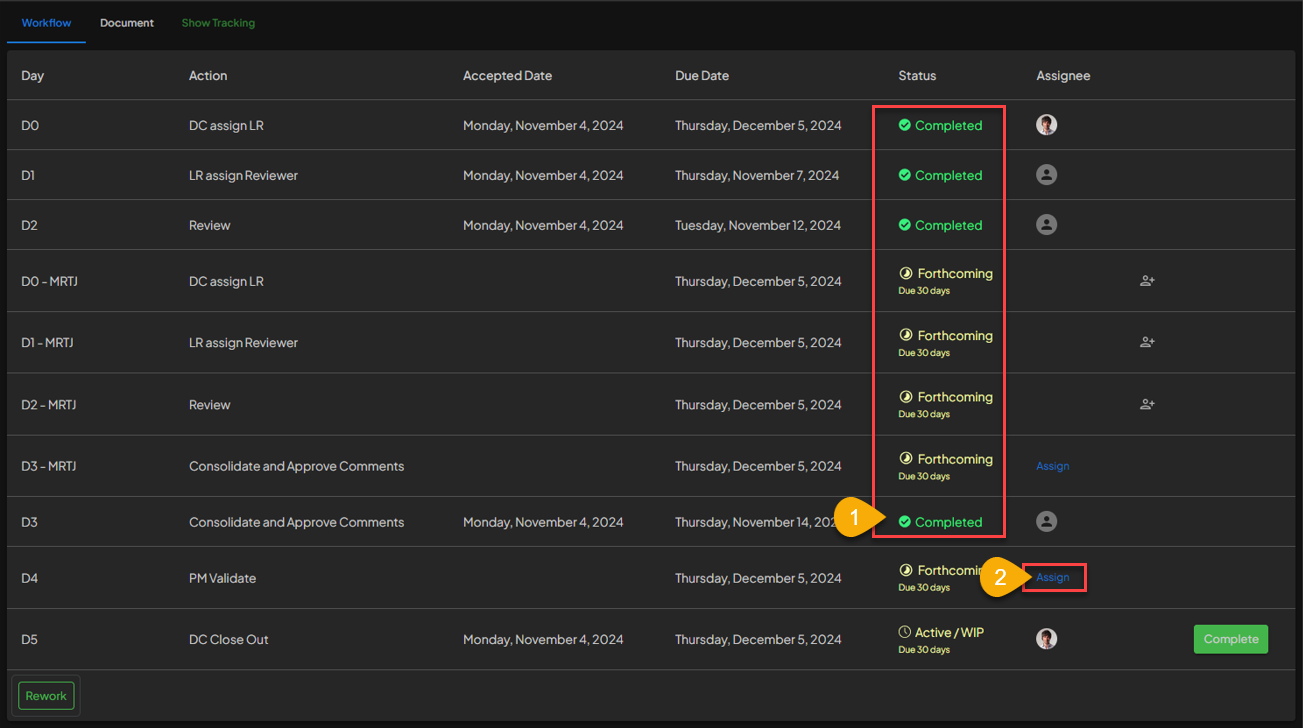
- Before assigning the task to the Project Manager, make sure that the job status on the other USER role is
Completed. - USER can click the
Assignbutton to display theEdit task assignmentpanel to start setting up the deadline for completing the task.
2. Setting Up the Due Date
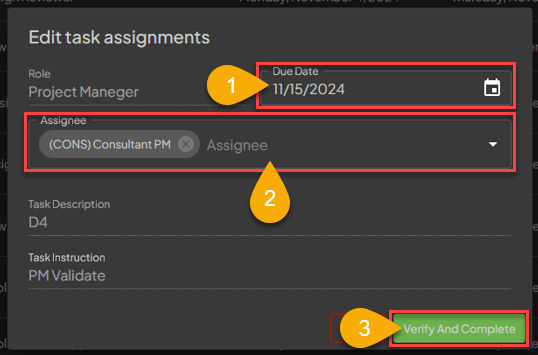
- Document Control can set the deadline for completing the task first.
- Document Control indicate to whom the task will be assigned, which in this case will be given to the Project Manager.
3. Assign Task Finished
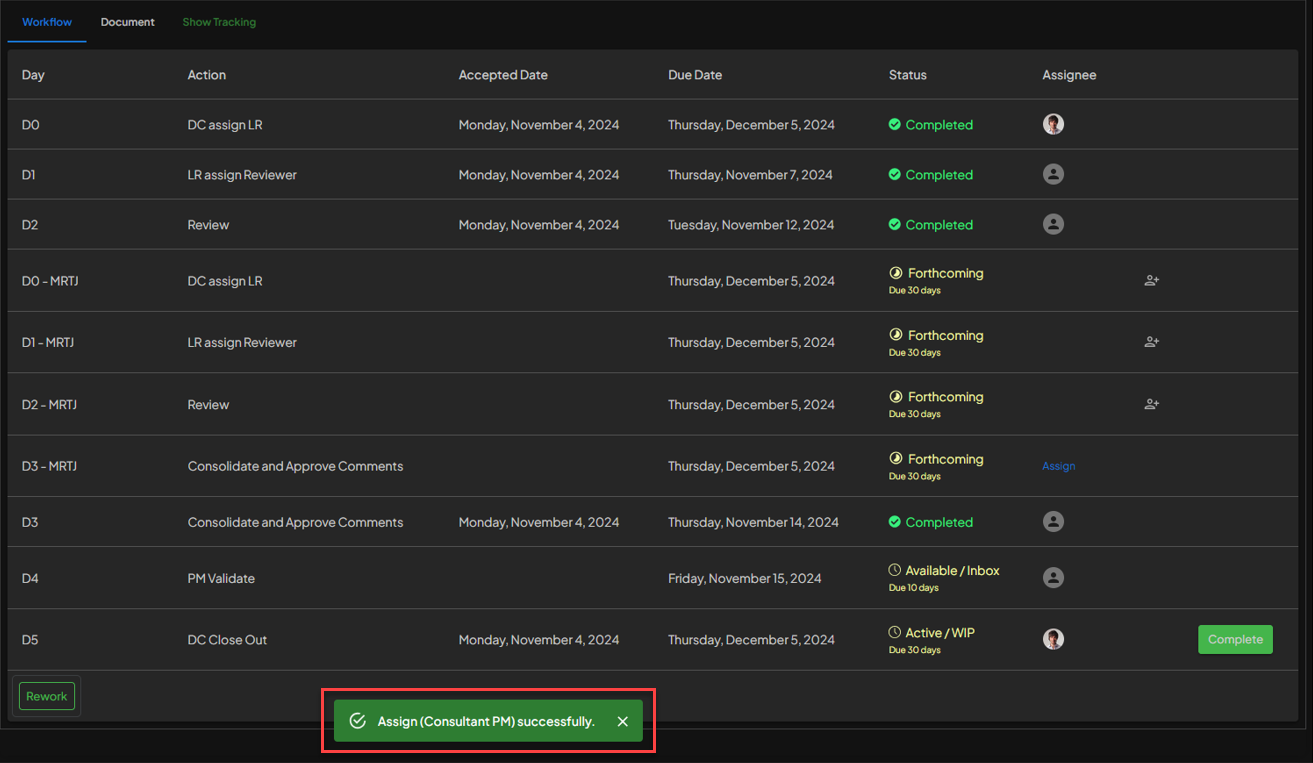 After finishing up the Assigning Task, a notification will appear saying
 Assign [Username] Successfully.