Clossing Out the Workflow
Clossing Out
1. Completing the Task
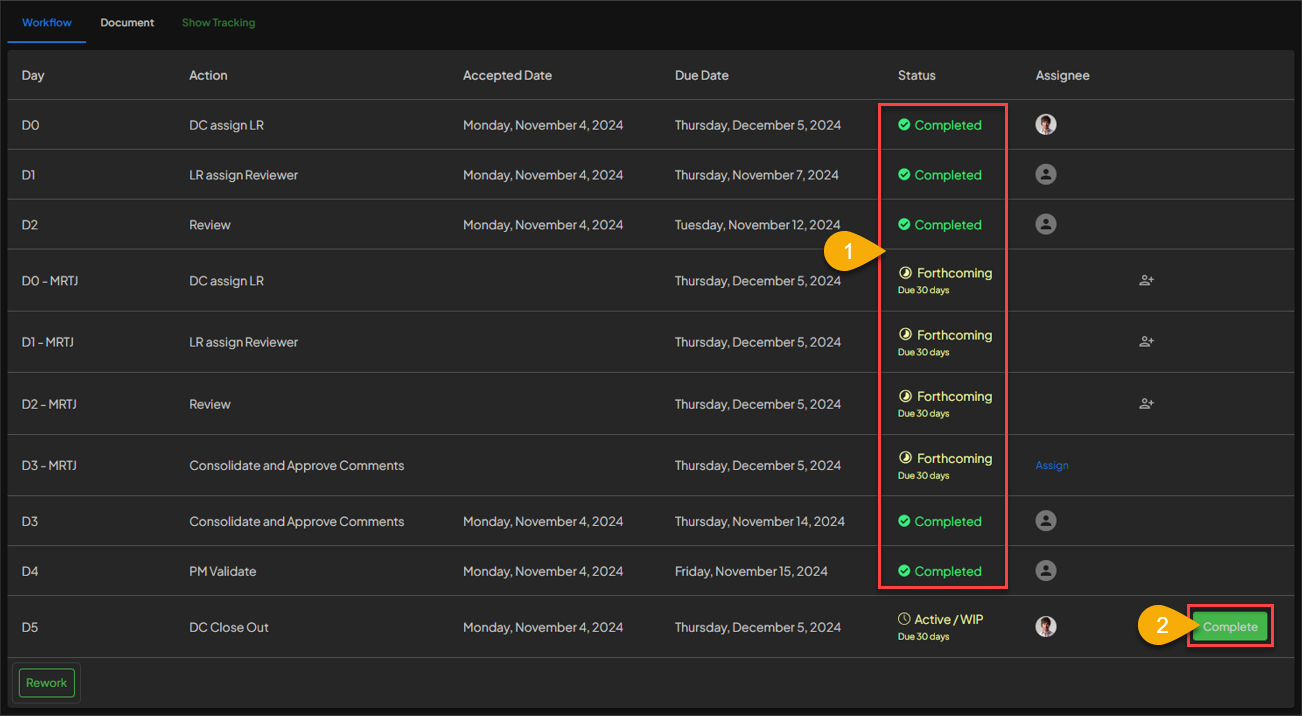
- Document Controller can first check the completion status of all the tasks by ensuring that all the process have status
Completed. - After making sure all the process have been
completed, then Document Controller can click on theCOMPLETEbutton to close out the workflow.
2. Clossing Out Finished
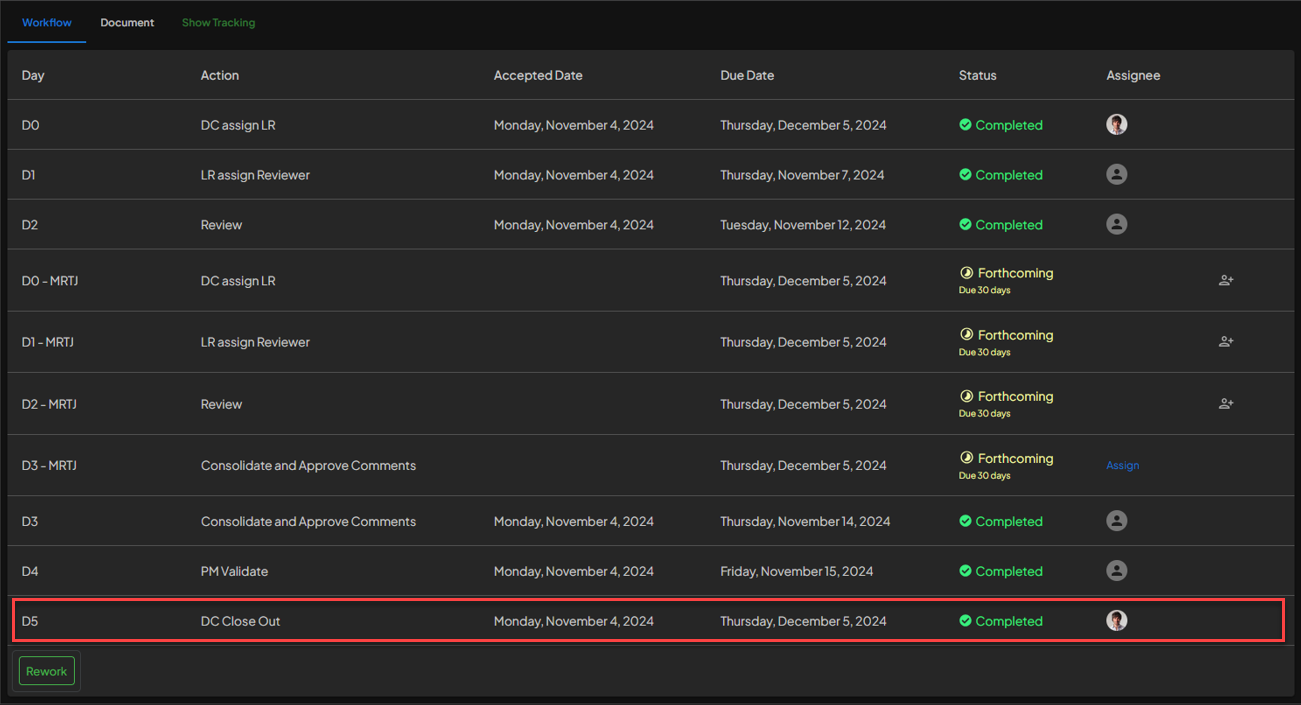 The Closing out process of Workflow are done. The Document Controller then can go back to the
 Review Task page, to check if the status of the task are change to Completed.
3. Check Task Status
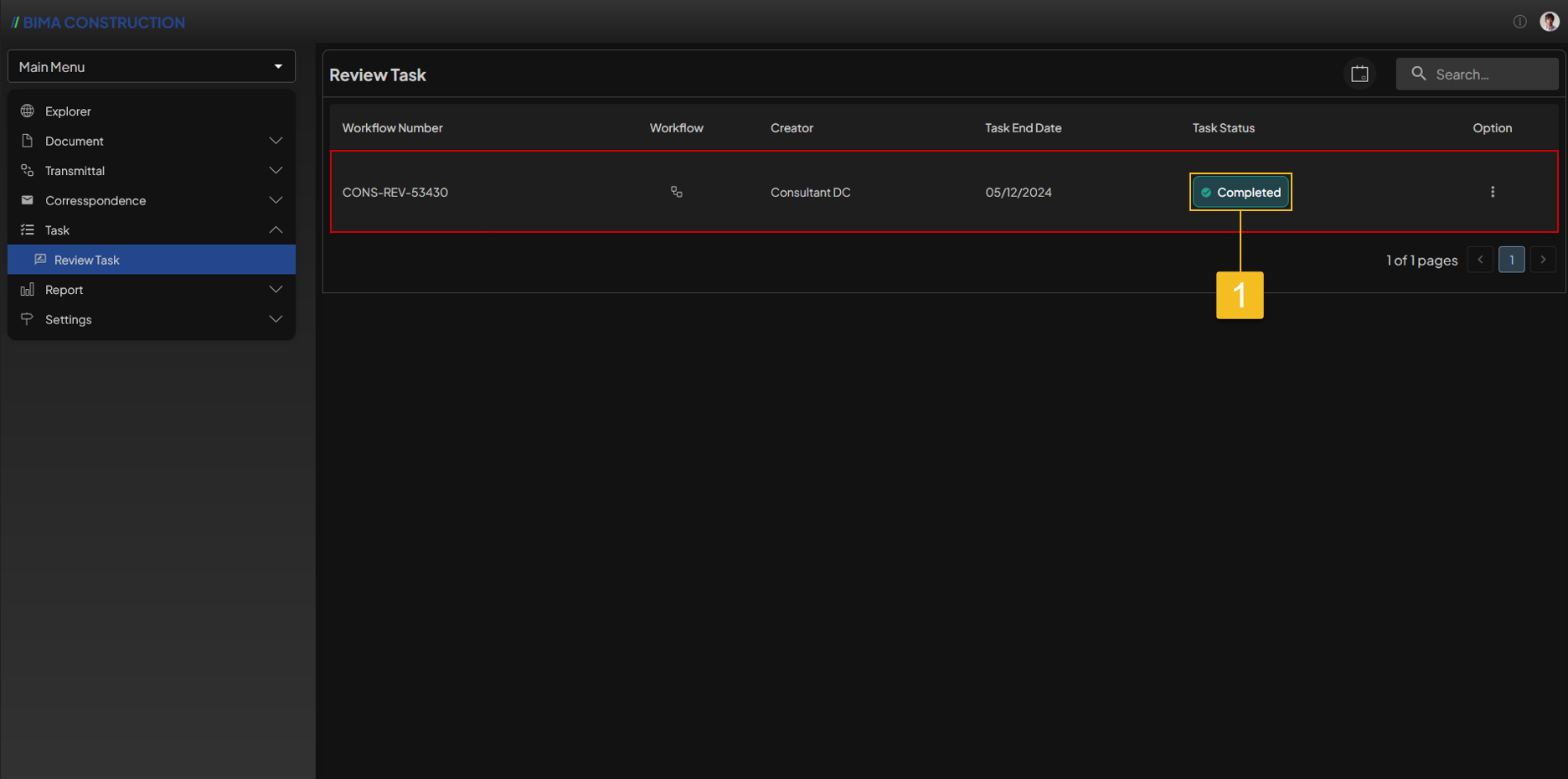 To make sure ev en more, Document Controller can check on the
 Task Status column on which Task/Workflow, to see if the Task in Completed state.